On cue
The right note, right on cue
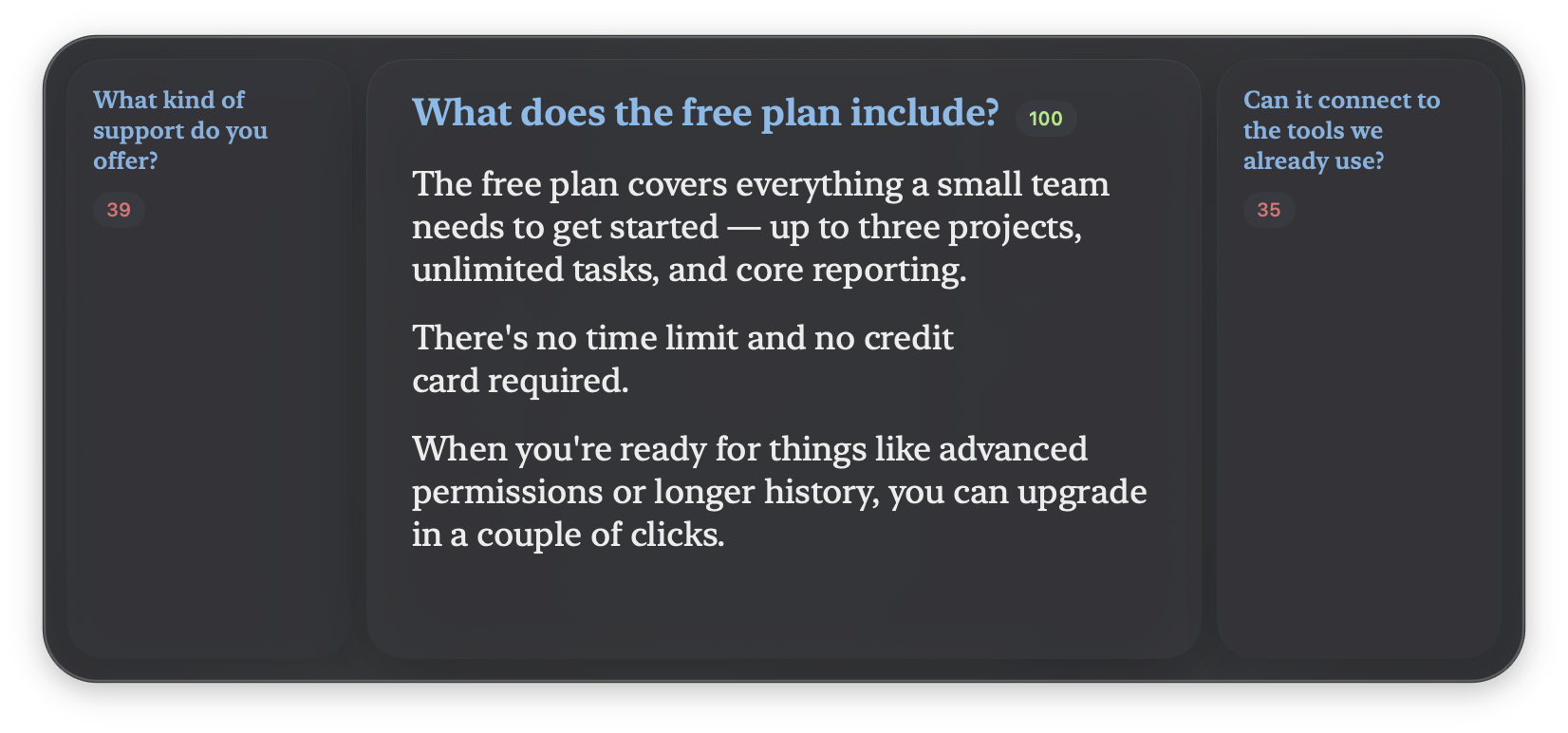
As the conversation moves, GhostCue surfaces the prepared note that fits the moment — a ranked shortlist with the best match highlighted. Glance down and you're already on the right card.
Live notes for real conversations
 GhostCue
Prepare your answers, match questions even when they're phrased differently, and let GhostCue automatically bring up the right notes in a voice-following teleprompter.
GhostCue never writes anything for you. Every line it shows is one you wrote ahead of time — it simply listens for the right moment and surfaces your own note. No chatbot, no generated answers. Just a fast, private way to find your prepared words.
On cue
As the conversation moves, GhostCue surfaces the prepared note that fits the moment — a ranked shortlist with the best match highlighted. Glance down and you're already on the right card.
Teleprompter mode
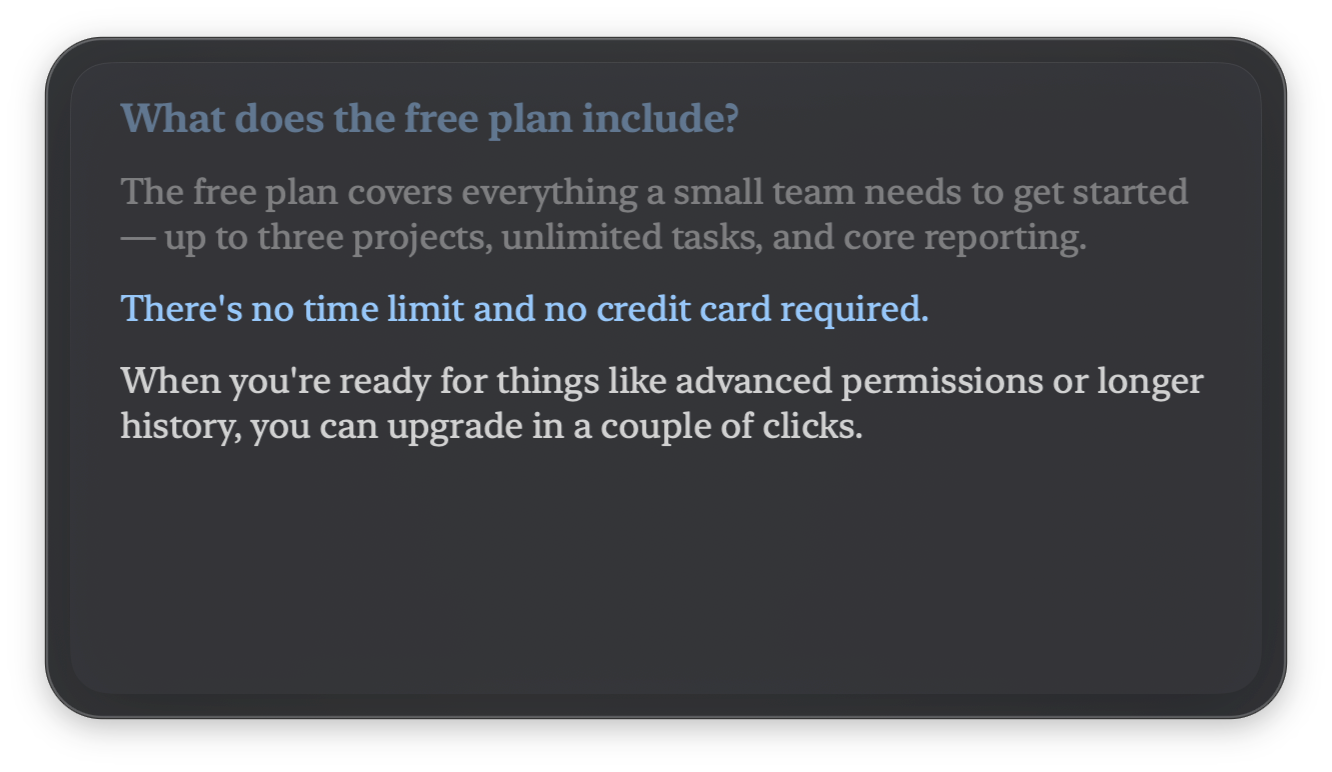
Start answering and the overlay locks on, scrolling your note at your pace — the line you're speaking stays lit while the ones you've covered fade away. Like a teleprompter that turns its own pages.
On device
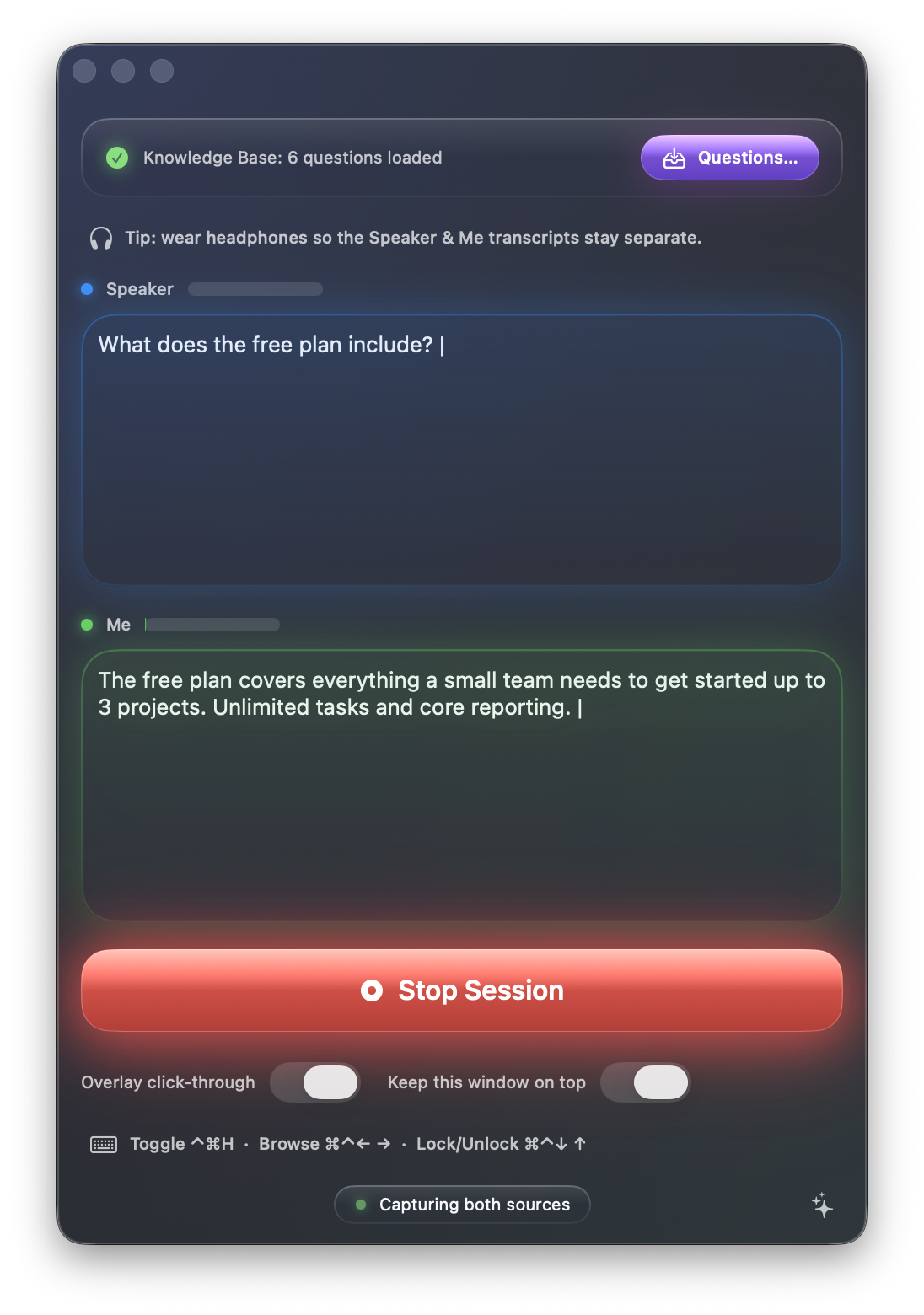
GhostCue captures your microphone and your computer's audio only during an active session, then transcribes both speakers with macOS's on-device speech engine. Audio stays on your Mac.
Your notes
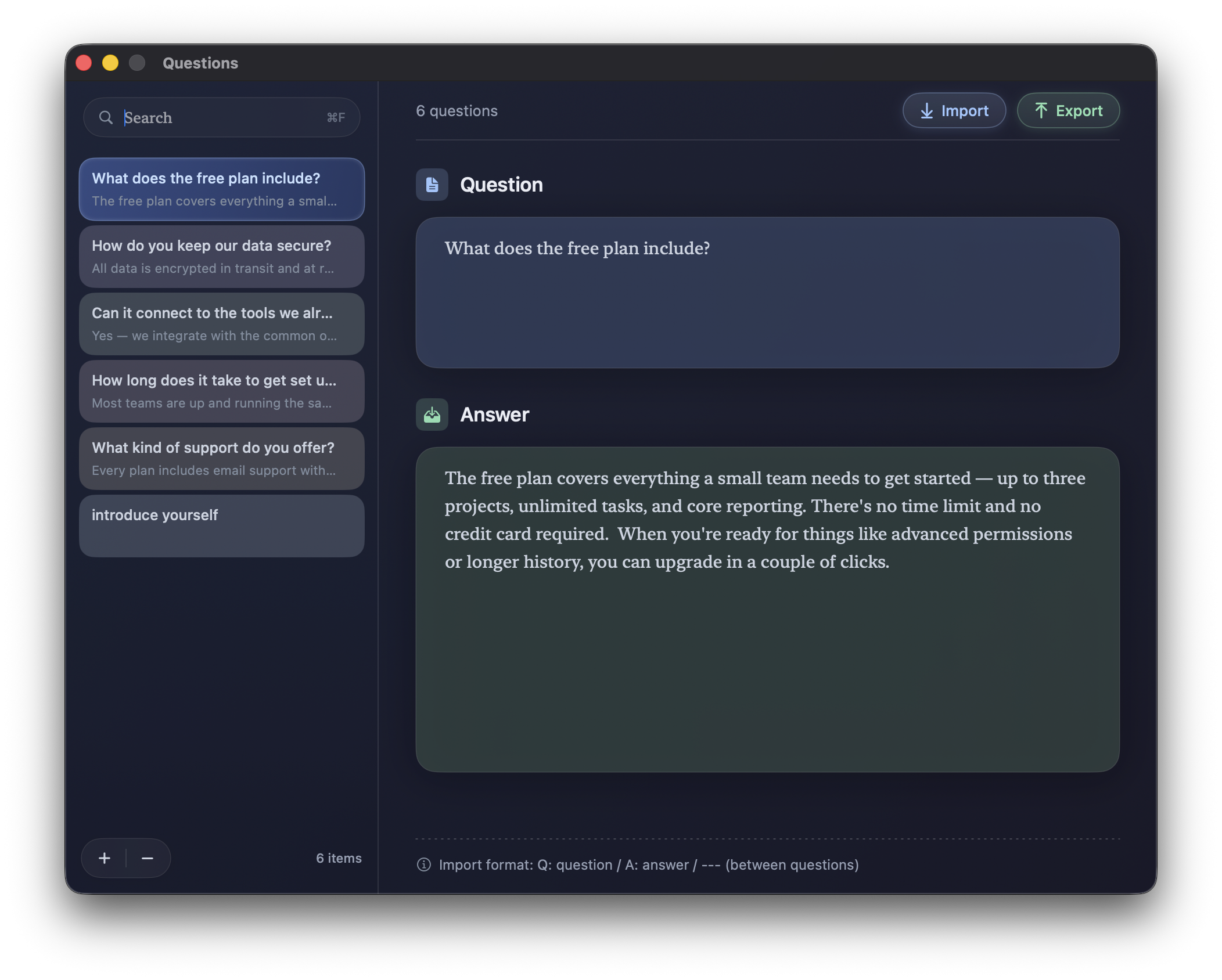
Write or paste your notes as simple question-and-answer cards. The format is plain text you control — import a whole batch at once, and export any time to keep a copy in the notes app of your choice.
Make it yours
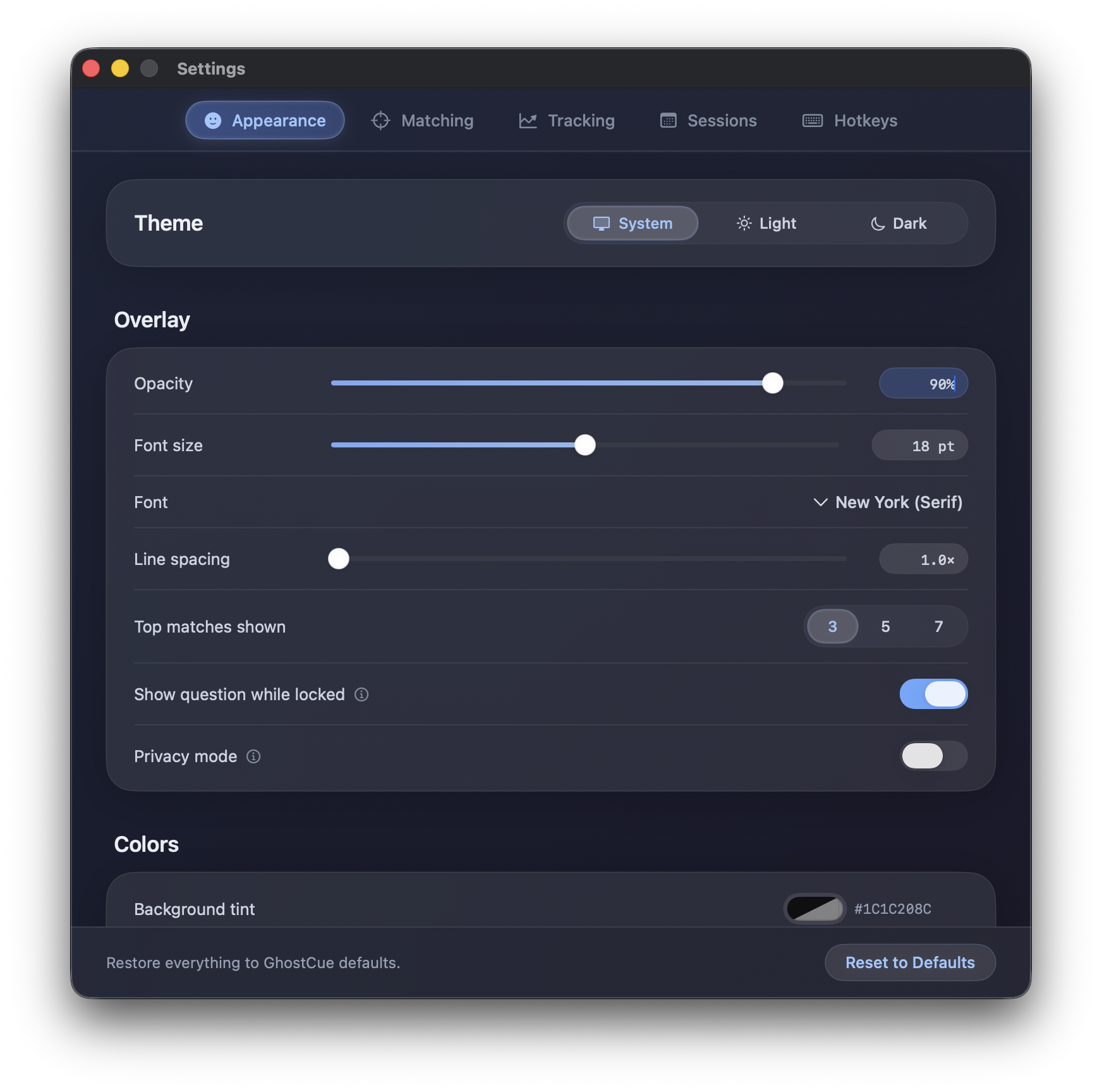
Light or dark theme, opacity, font, size, and your own background, text, and highlight colors. Show 3, 5, or 7 matches at a time, then tuck the panel into a corner so your eyeline stays natural.
GhostCue's core features run on your Mac. If you choose to submit in-app feedback, your message and selected matching diagnostics may be sent to Cloudflare.
Audio transcription, question matching, and your prepared answers stay on your Mac.
GhostCue never listens while idle. Capture is explicit and shown by live level meters.
If you submit in-app feedback, your message and selected matching diagnostics may be sent to Cloudflare. Screenshots are not uploaded.
Requires macOS 26 or later on Apple Silicon (M1 or later).